# September 13th, 2025

## Bulk Enable/Disable Strategies and Subscriptions

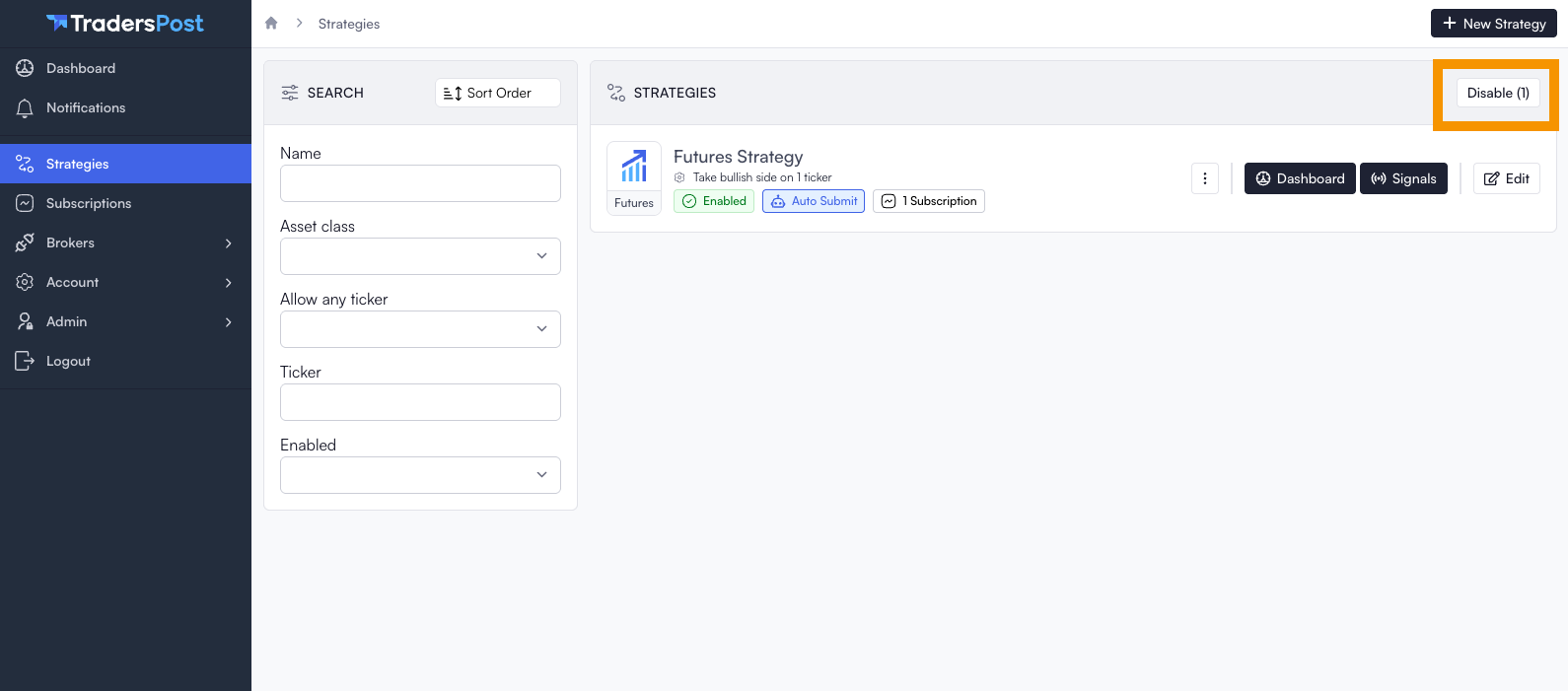
You can now enable or disable strategies or subscriptions in bulk. Simply use the `Enable` and `Disable` buttons located at the top right of the strategies and subscriptions list.
<figure><img src="https://1740217496-files.gitbook.io/~/files/v0/b/gitbook-x-prod.appspot.com/o/spaces%2FfaGHqKUfUy1dxnpnFnAi%2Fuploads%2Fhu4vwDW6FJEgsgR8GU30%2FScreenshot%202025-09-13%20at%201.05.48%E2%80%AFPM.png?alt=media&#x26;token=73450384-987a-4ae0-aed4-55bc887af50a" alt=""><figcaption></figcaption></figure>

## Clickable Badges

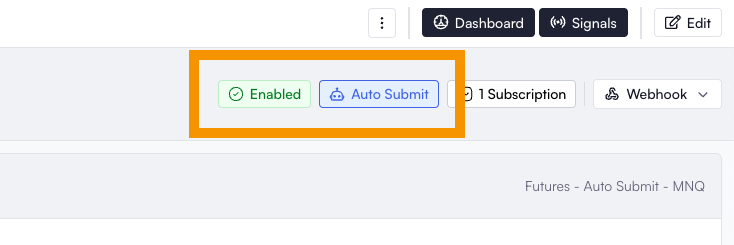
You can now click the `Enabled` and `Auto Submit` badges to quickly toggle their status. These badges are clickable from both the list and edit views.
<figure><img src="https://1740217496-files.gitbook.io/~/files/v0/b/gitbook-x-prod.appspot.com/o/spaces%2FfaGHqKUfUy1dxnpnFnAi%2Fuploads%2FdJDMtyUWaL0zKWn1qCeA%2FScreenshot%202025-09-13%20at%201.09.35%E2%80%AFPM.png?alt=media&#x26;token=9cb37daa-7670-4478-98be-357c09cc63d8" alt=""><figcaption></figcaption></figure>

## Remembered Search Form Values

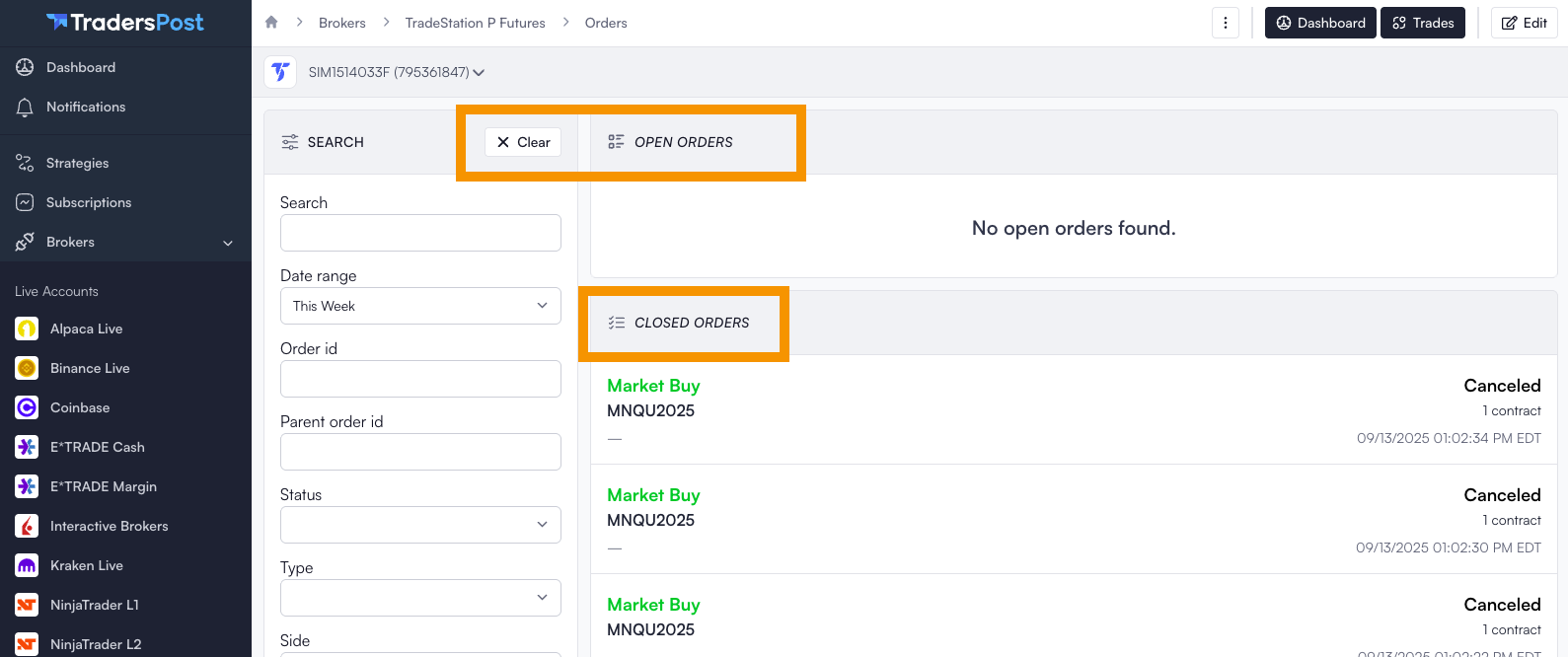
When submitting a search form, your search criteria are now remembered. If you navigate away and return later, your filters will be remembered. To remove these filters, click the `Clear` button at the top right of the search form. If filters are applied, the list title will appear in italics.

Searchable lists are also now dynamic. They automatically update when you adjust a search filter, eliminating the need to manually submit the form.
<figure><img src="https://1740217496-files.gitbook.io/~/files/v0/b/gitbook-x-prod.appspot.com/o/spaces%2FfaGHqKUfUy1dxnpnFnAi%2Fuploads%2FeKz2Xdk9PtcyIxNEzrab%2FScreenshot%202025-09-13%20at%201.11.51%E2%80%AFPM.png?alt=media&#x26;token=102b7295-3c6d-4b20-bd34-1df9fb6bf328" alt=""><figcaption></figcaption></figure>

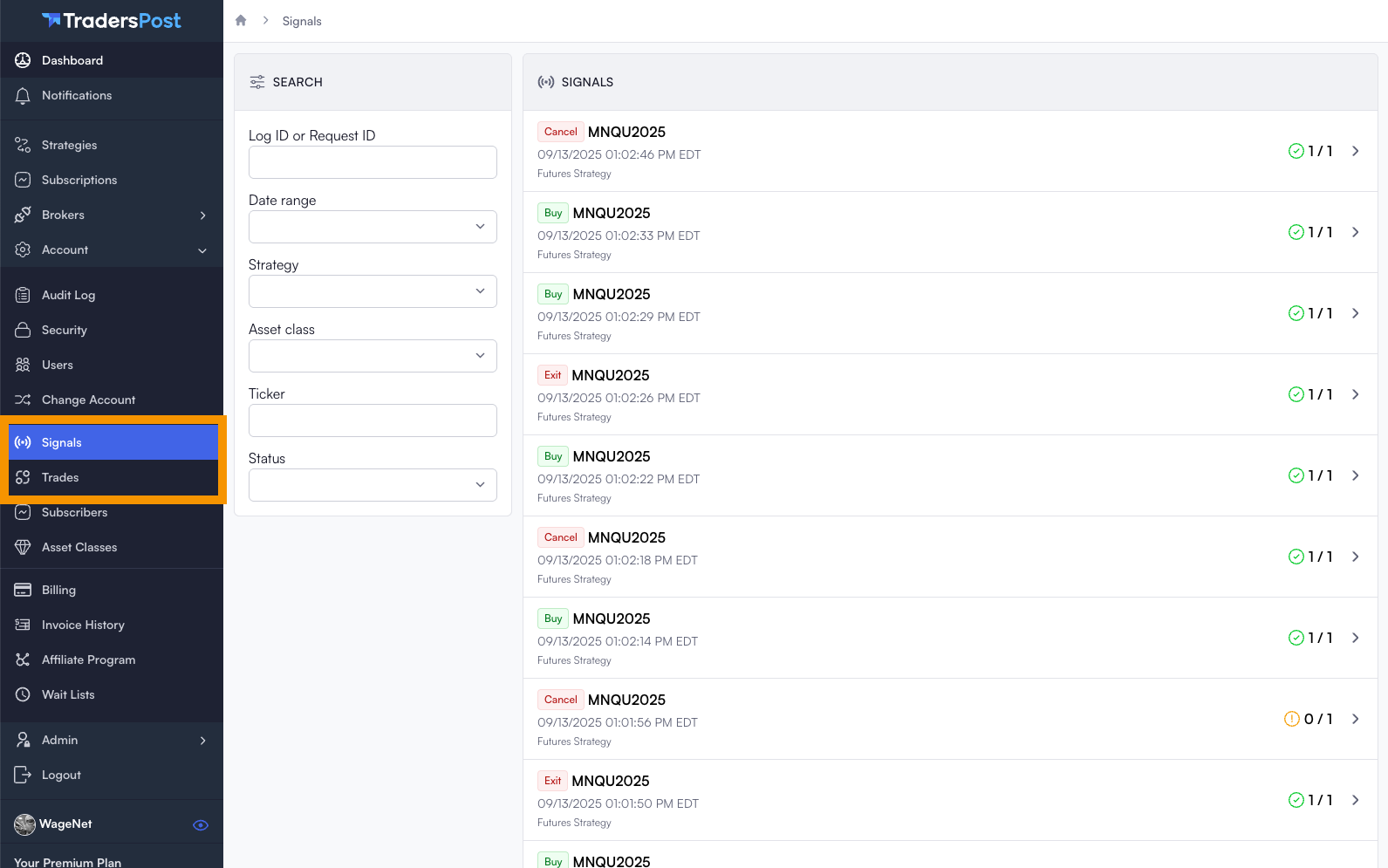
## Account Level Signals and Trades Page

We introduced an account-level searchable list for signals and trades, allowing you to easily find specific signals or trades across your entire account.
<figure><img src="https://1740217496-files.gitbook.io/~/files/v0/b/gitbook-x-prod.appspot.com/o/spaces%2FfaGHqKUfUy1dxnpnFnAi%2Fuploads%2F4yQrK0bMuZGUA6GwOWvB%2FScreenshot%202025-09-13%20at%201.13.55%E2%80%AFPM.png?alt=media&#x26;token=ed55aae0-4da0-4923-b808-096f47e09c77" alt=""><figcaption></figcaption></figure>

## Sorting Options for Strategies and Subscriptions

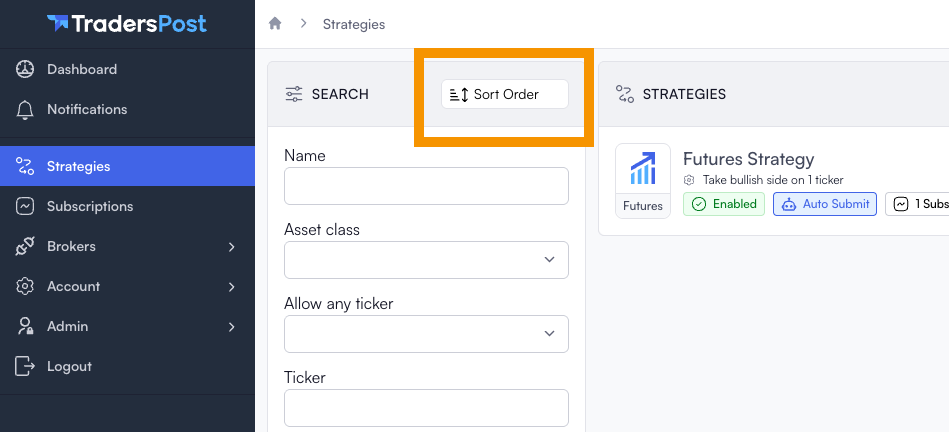
You now have the ability to control the sort order in the strategies and subscriptions list. Currently, you can choose from the following sorting options:

* **Name (A-Z)**
* **Newest First**
* **Last Updated**

We are planning to add more sorting options in the future. For instance, you might want to define a custom order or sort by strategies that received the most recent signal.
<figure><img src="https://1740217496-files.gitbook.io/~/files/v0/b/gitbook-x-prod.appspot.com/o/spaces%2FfaGHqKUfUy1dxnpnFnAi%2Fuploads%2FCQsoHPEl4fF99jYDPaUJ%2FScreenshot%202025-09-13%20at%201.16.21%E2%80%AFPM.png?alt=media&#x26;token=77a44df0-5ec9-4f07-bffd-c8cae0a640fc" alt=""><figcaption></figcaption></figure>

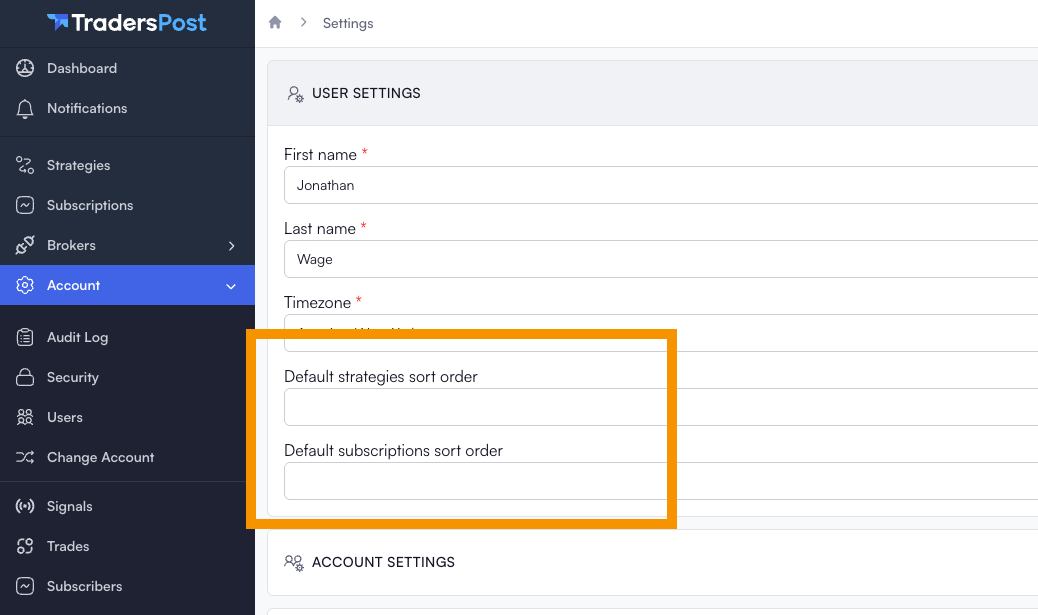
If you want to change the default sort for your user, you can do by navigating to `Account > User Settings` and editing the `Default strategies sort order` or `Default subscriptions sort order`.

<figure><img src="https://1740217496-files.gitbook.io/~/files/v0/b/gitbook-x-prod.appspot.com/o/spaces%2FfaGHqKUfUy1dxnpnFnAi%2Fuploads%2FvRt88TGlgUMYrcsNr4B9%2FScreenshot%202025-09-13%20at%201.18.27%E2%80%AFPM.png?alt=media&#x26;token=f444a1e7-3827-48f9-86e2-d8918ca1cad9" alt=""><figcaption></figcaption></figure>

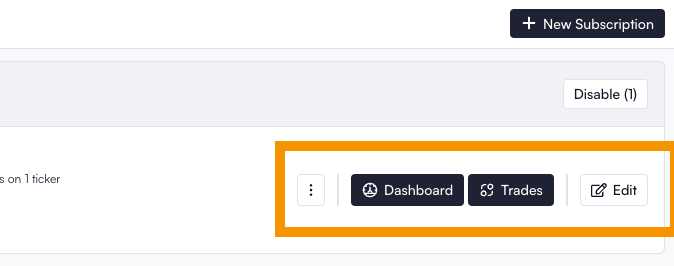
## Removed the "View" screen

We've combined the `View` and `Edit` screens for Strategies, Subscriptions, and Brokers to eliminate redundancy and enhance user experience. Now, only the `Edit` button will be available in the menu for Strategies, Subscriptions and Brokers.
<figure><img src="https://1740217496-files.gitbook.io/~/files/v0/b/gitbook-x-prod.appspot.com/o/spaces%2FfaGHqKUfUy1dxnpnFnAi%2Fuploads%2F892DORCF64vBg331FcdA%2FScreenshot%202025-09-13%20at%201.26.07%E2%80%AFPM.png?alt=media&#x26;token=2a7b1091-c3b8-421a-9478-cf16f34883ec" alt=""><figcaption></figcaption></figure>

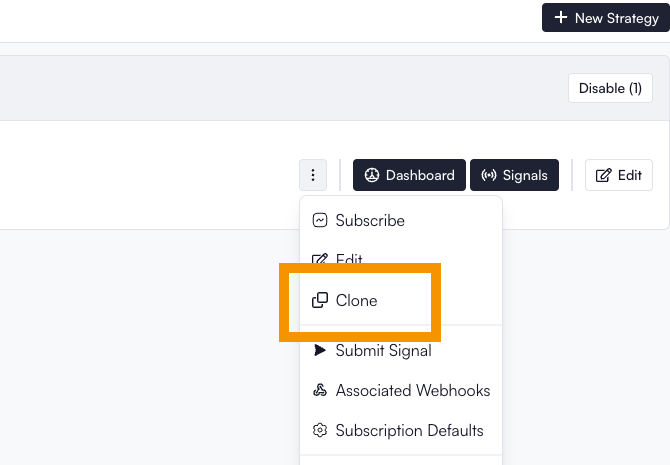
## Clone Strategies and Subscriptions

You can now easily duplicate strategies and subscriptions. Simply click the three-dot dropdown menu and select the `Clone` option. The cloned strategy or subscription will be created in a disabled state for you to then edit before enabling.
<figure><img src="https://1740217496-files.gitbook.io/~/files/v0/b/gitbook-x-prod.appspot.com/o/spaces%2FfaGHqKUfUy1dxnpnFnAi%2Fuploads%2F9YJ4wS89Dypi6Yc4qCzP%2FScreenshot%202025-09-13%20at%205.42.11%E2%80%AFPM.png?alt=media&#x26;token=b0f59513-0637-4c71-9f18-dd4789ad74c3" alt=""><figcaption></figcaption></figure>