Ignore Exits
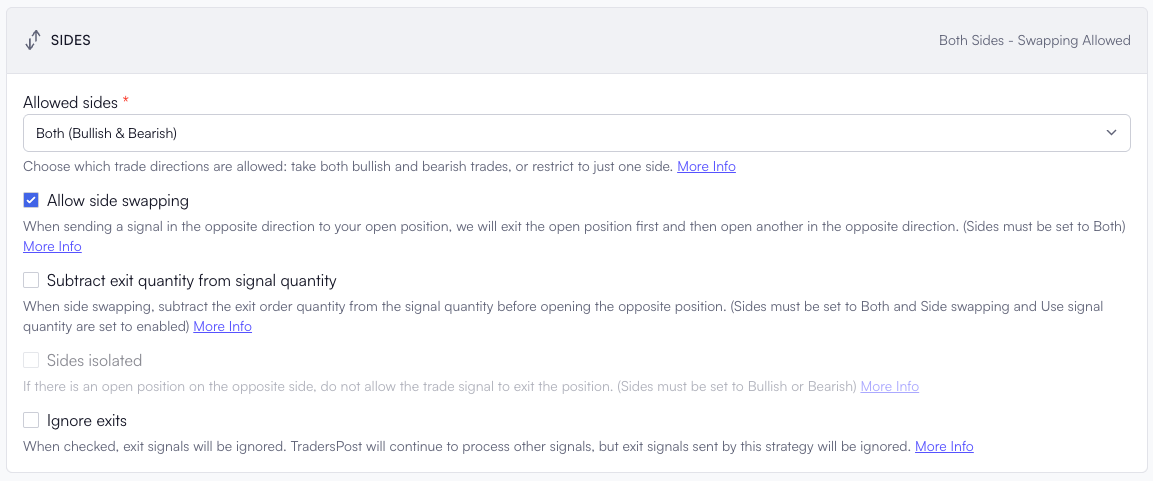
You can now choose to ignore exit signals from your strategy while continuing to process entry signals.
When the Ignore exits setting is enabled, TradersPost will still execute entry orders as usual, but any exit signals will be ignored. This gives you the flexibility to manage exits manually, through another strategy, or with your own discretionary trading decisions.
You might enable Ignore exits if:
- You want to manually manage risk or take profits while still automating entries.
- You use a separate system or discretionary logic for exits.
- You’re testing or debugging entry behavior and don’t want exits to trigger orders.
Delay
The delay field allows you to postpone the execution of a trade signal by a specified number of seconds. When included, TradersPost will wait the defined delay period after receiving the signal before executing the trade.
You can include the delay in seconds within the webhook payload:
{
    "ticker": "QQQ",
    "action": "buy",
    "delay": 60
}
In this example, the signal instructs TradersPost to buy QQQ, but execution will be delayed by 60 seconds after the signal is received.
You may want to use delay if:
- You want to space out your entries to work around broker rate limits.
- Your strategy enters and then immediately exits so on the exit you may want to add a delay to give your entry enough time to fully execute.