# November 5th, 2023

## Application Menu Changes

* Moved **Webhooks**, **Strategies** and **Subscriptions** up to the top level of the header menu in the application.
* Added new **Documentation** top level menu item to the header menu in the application.
* Added new **Get Answers** icon to the top right of the header menu in the application. Read more about the **Get Answers** widget below.

## Get Answers Widget

At the top right of the header menu in the application, you will see a new icon that can be used to open the **Get Answers** help widget.

<figure><img src="/files/ozUEc8uKjaG8t7ugo3CA" alt=""><figcaption><p>Get Answers menu icon</p></figcaption></figure>

You can use this new widget to search the [TradersPost Documentation](https://docs.traderspost.io/docs/)  by keyword or to ask questions and get answers using AI. We will try to answer your question with AI if the input is in the form of a question. e.g. if it begins with What, How, Why, etc. or ends in a question mark.

We have some suggested questions listed when you open the widget to help you get started!
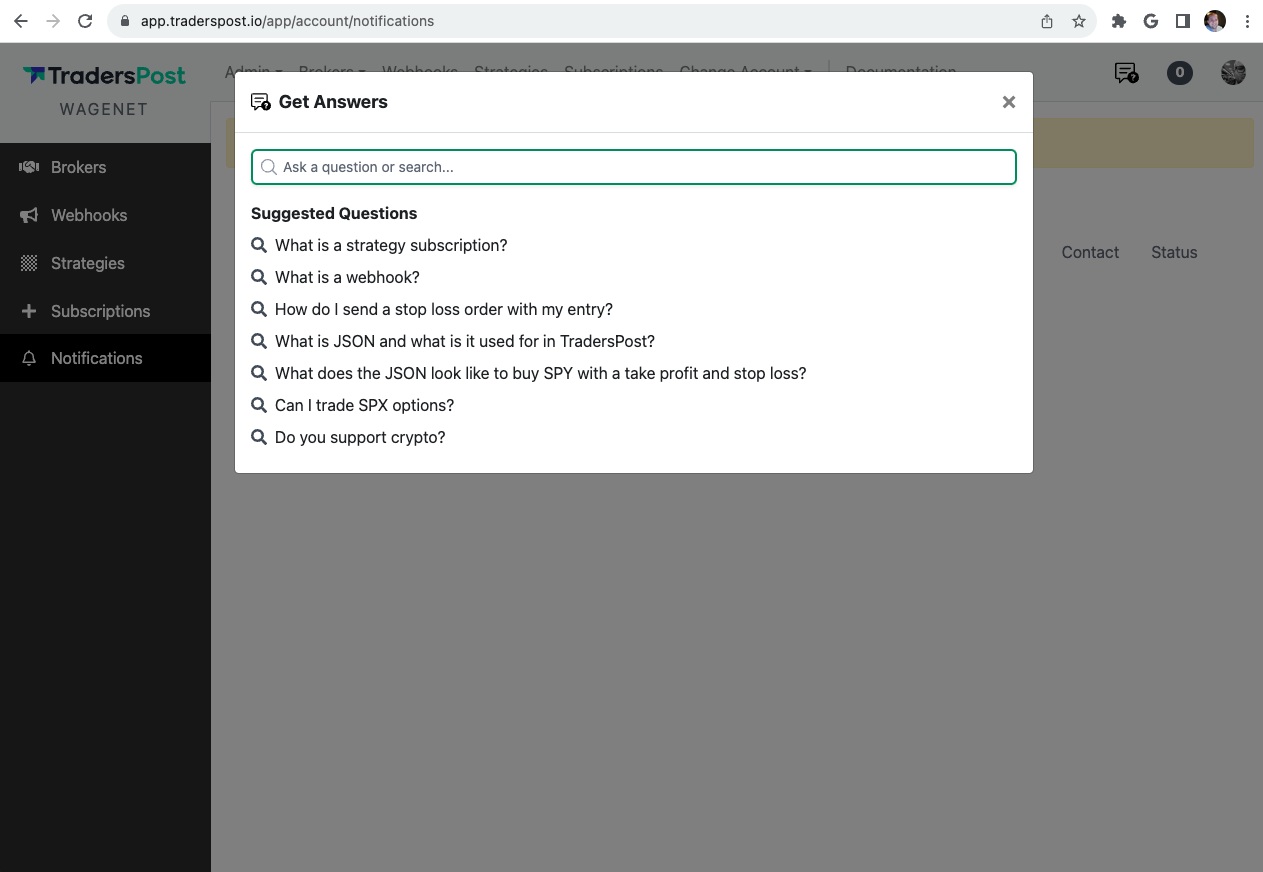
<figure><img src="/files/yDxG3LmumC2GgP2vuCpC" alt=""><figcaption></figcaption></figure>


---

# Agent Instructions: Querying This Documentation

If you need additional information that is not directly available in this page, you can query the documentation dynamically by asking a question.

Perform an HTTP GET request on the current page URL with the `ask` query parameter:

```
GET https://docs.traderspost.io/releases/old-releases/november-5th-2023.md?ask=<question>
```

The question should be specific, self-contained, and written in natural language.
The response will contain a direct answer to the question and relevant excerpts and sources from the documentation.

Use this mechanism when the answer is not explicitly present in the current page, you need clarification or additional context, or you want to retrieve related documentation sections.