Enhance Trading Windows
You can now send the ignoreTradingWindows parameter in a webhook to bypass the trading windows specified in the strategy subscription settings.
{
    "ticker": "SPY",
    "action": "exit",
    "ignoreTradingWindows": true
}
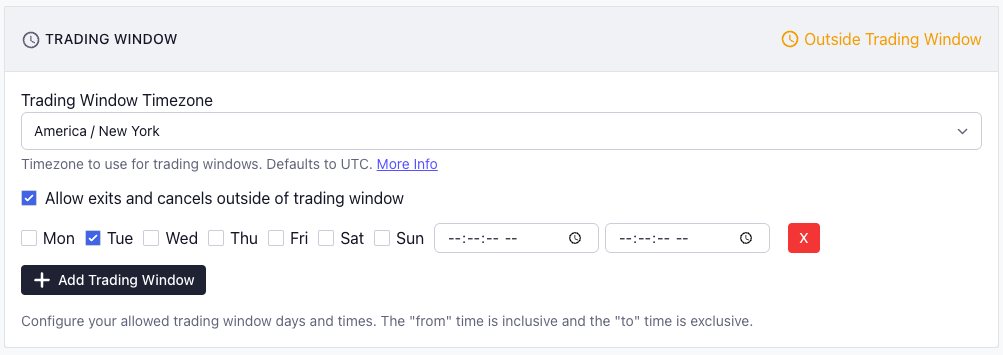
In addition to being able to explicitly control this from the webhook, you can enable the Allow exits and cancels outside of the trading window settings in your strategy subscription settings and exits and cancels will be allowed outside of the defined trading windows.
Enhance Open Order Canceling
You now have more control over the open order canceling functionality by using the cancel property in the webhook JSON.
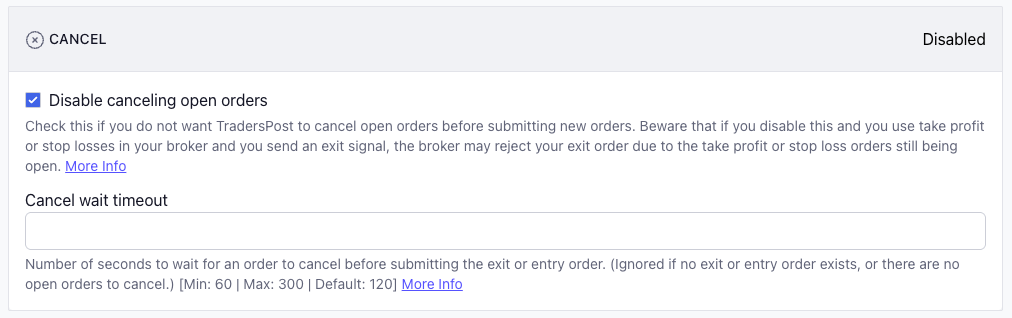
You can disable the implicit canceling of open orders like in the screenshot above and instead control when you want to cancel open orders more explicitly with the cancel property in your webhook JSON:
{
    "ticker": "SPY",
    "action": "exit",
    "cancel": true
}
The above will first cancel any open orders for SPY and then exit the open SPY position if it exists.
You can also do the reverse, leave the implicit canceling of open orders enabled in the strategy subscription settings and opt out of the open order canceling on some some webhook signals:
{
    "ticker": "SPY",
    "action": "exit",
    "cancel": false
}
The above will exit the open position for SPY if it exists but it will not cancel any open orders for SPY.