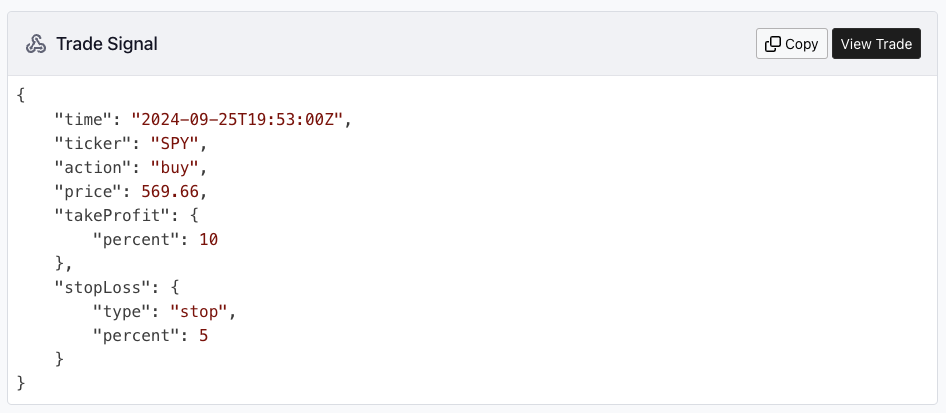
Merging Webhooks and Strategies
We are streamlining the Webhooks section by integrating it into the Strategies section. The Webhooks Logs feature has been moved to Strategies and renamed Trades. Similarly, the Send Request feature has been relocated to Strategies and renamed Submit Trade. It is recommended that each each strategy only have one webhook, and you can manage all webhook functions directly from the strategy interface, simplifying the process and improving ease of use.
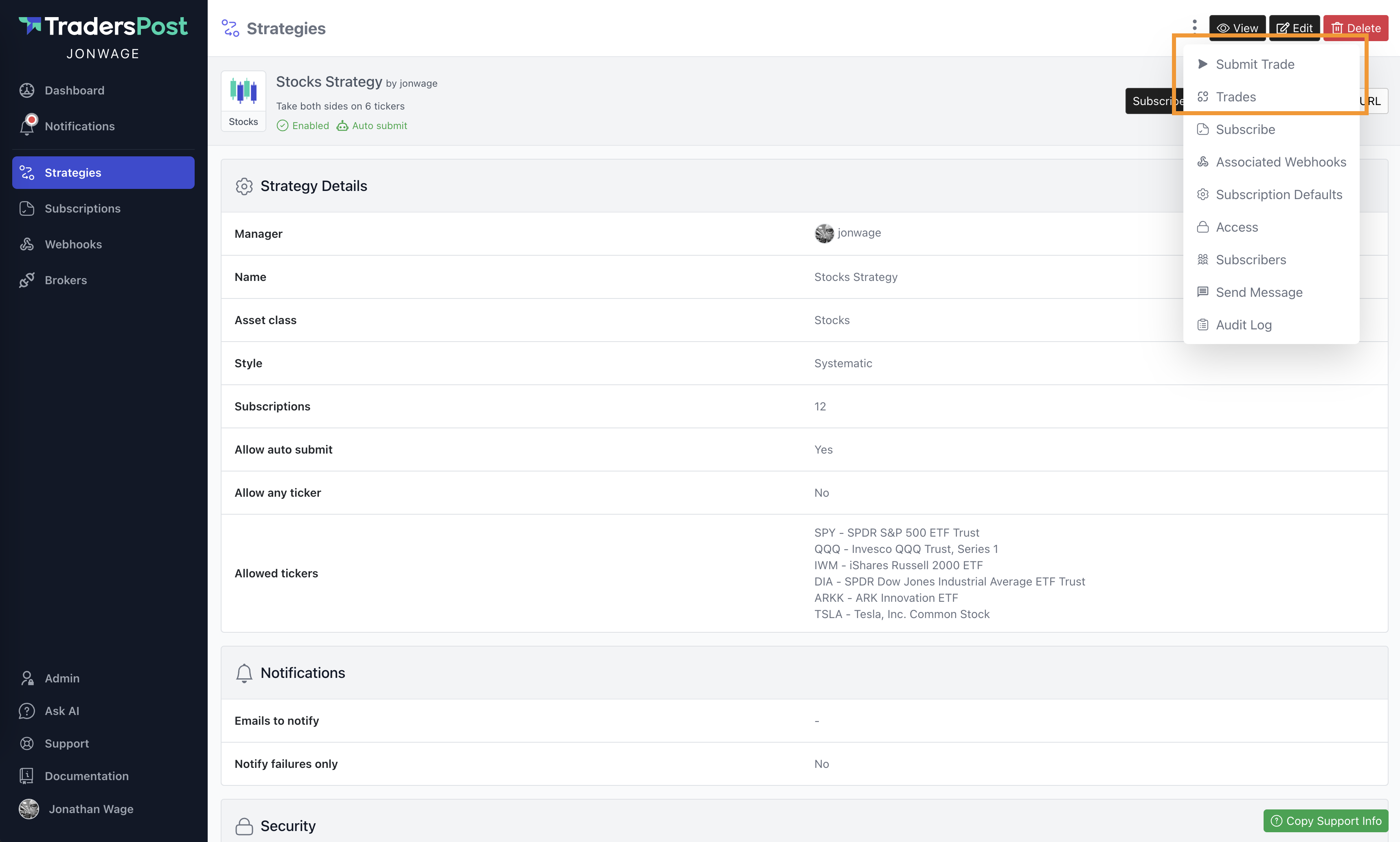
Strategy Signal Execution Summary
Updated the strategy signal page to display an execution summary of all trades executed due to the strategy signal. Click on a trade to view its complete details in a modal.
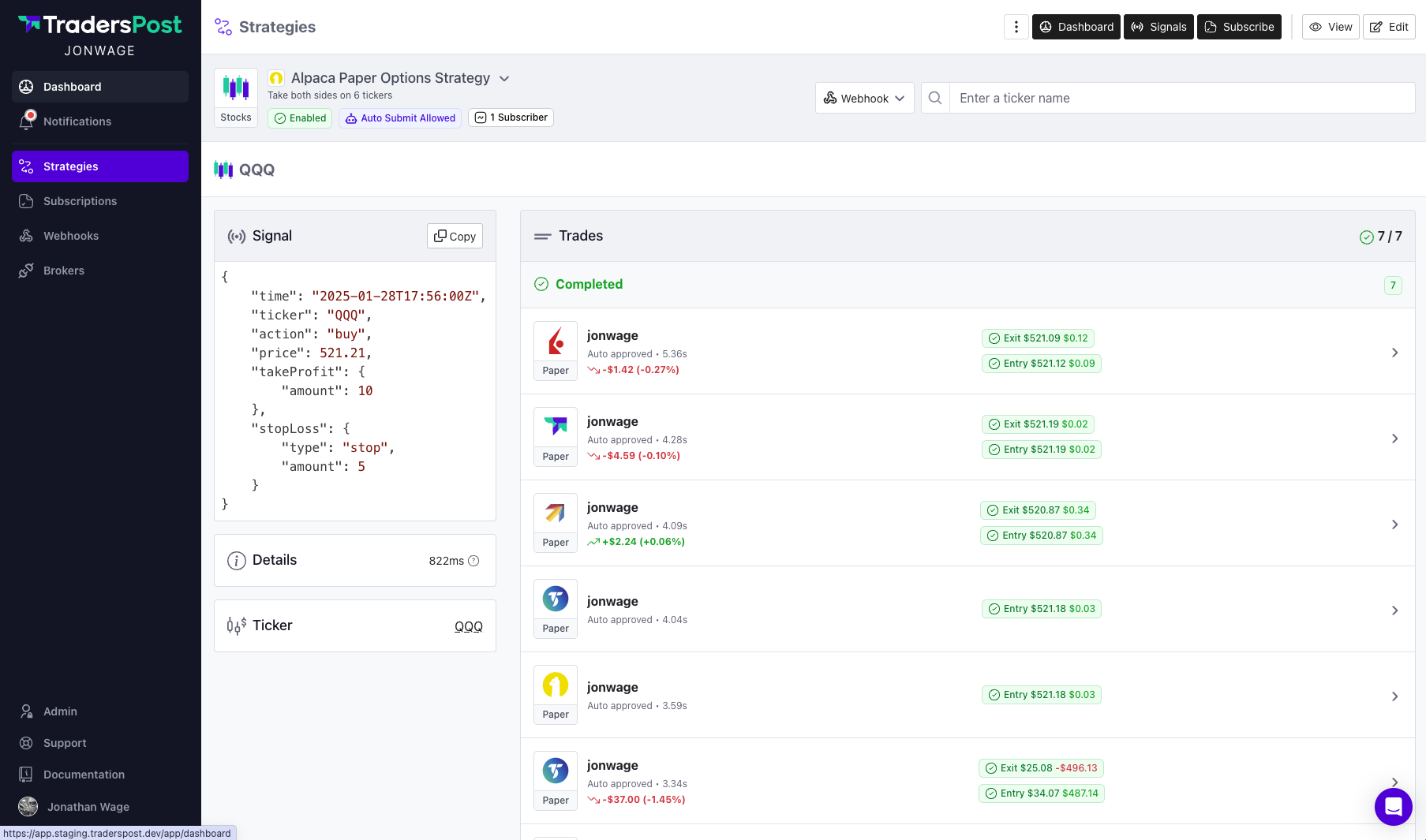
Improve Subscription Trade Screen
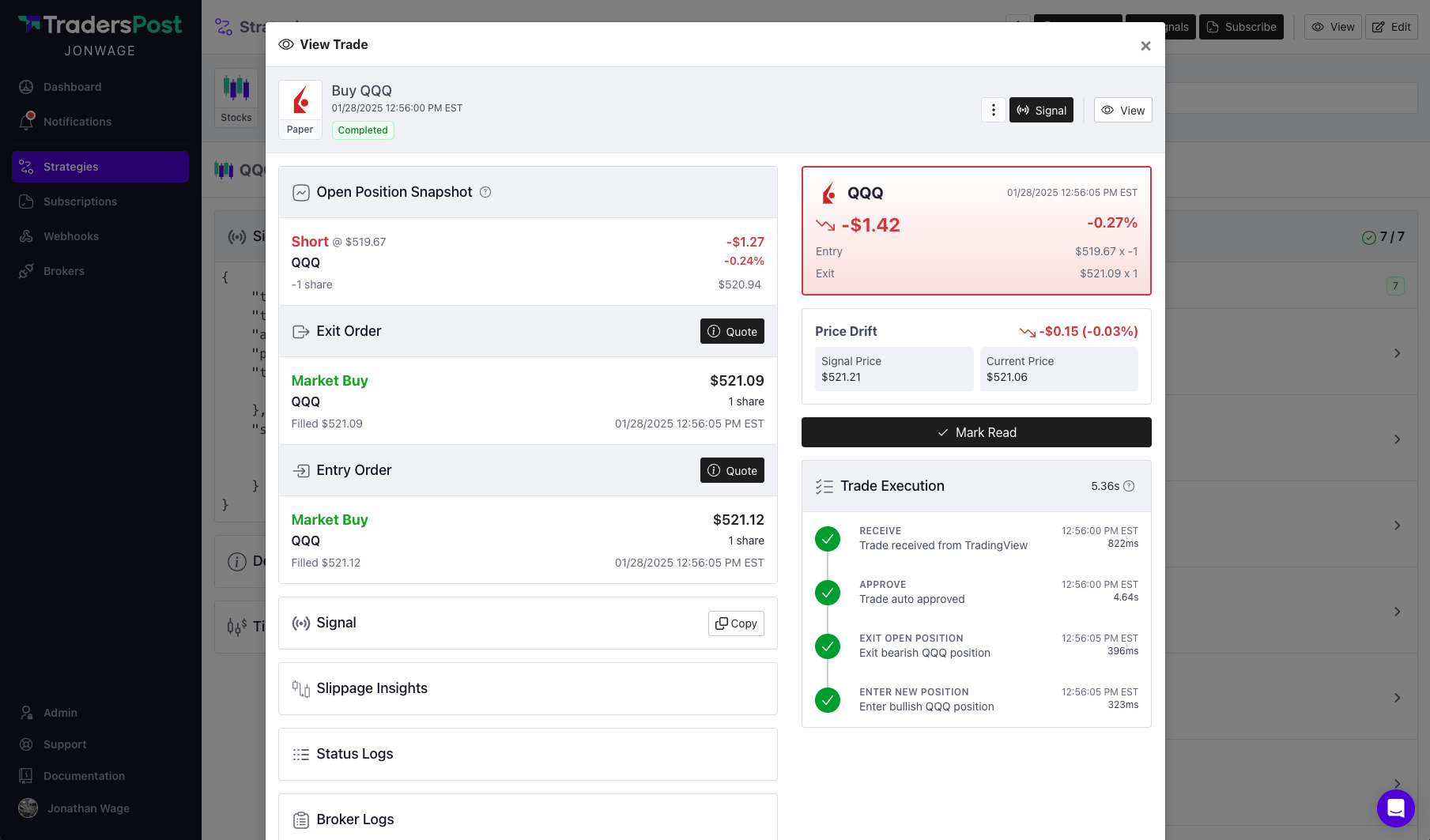
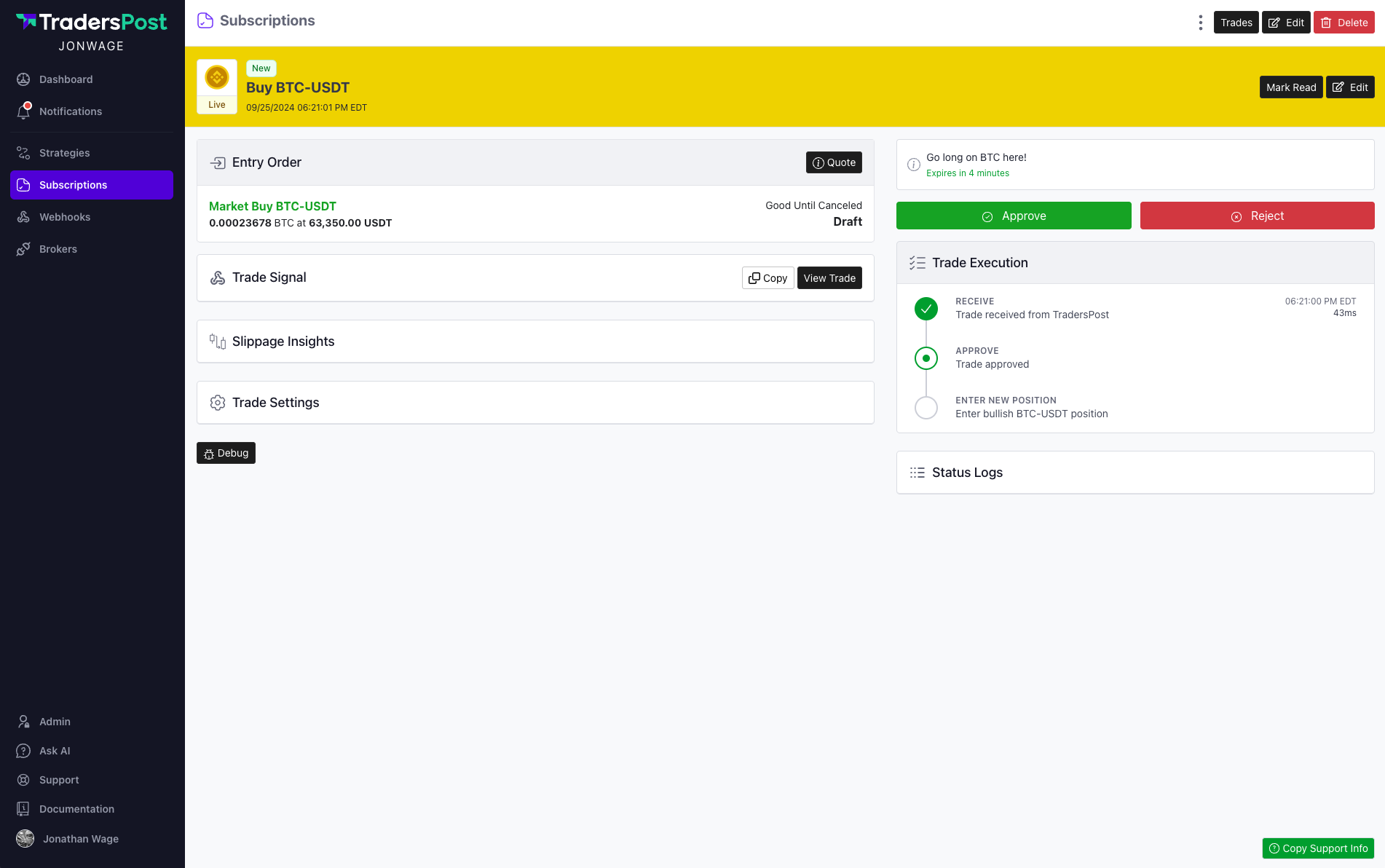
We’ve enhanced the UX of the subscription trade screen by collapsing less important sections to reduce visual clutter. These sections can be easily expanded with a click, allowing you to view their details at any time. Additionally, we’ve introduced detailed timing breakdowns for each step in the trade execution process, making it easier to pinpoint which stages took the most time.
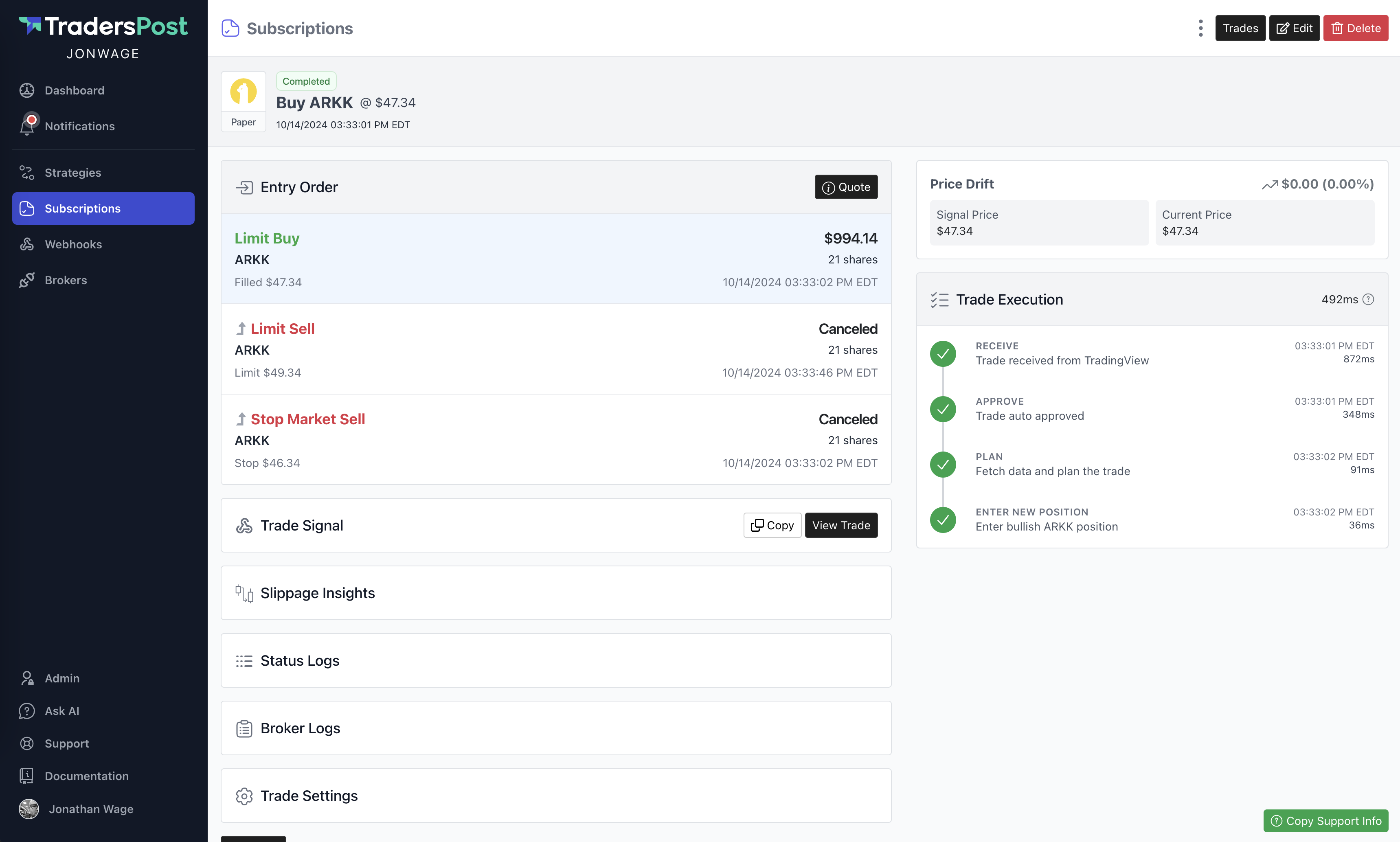
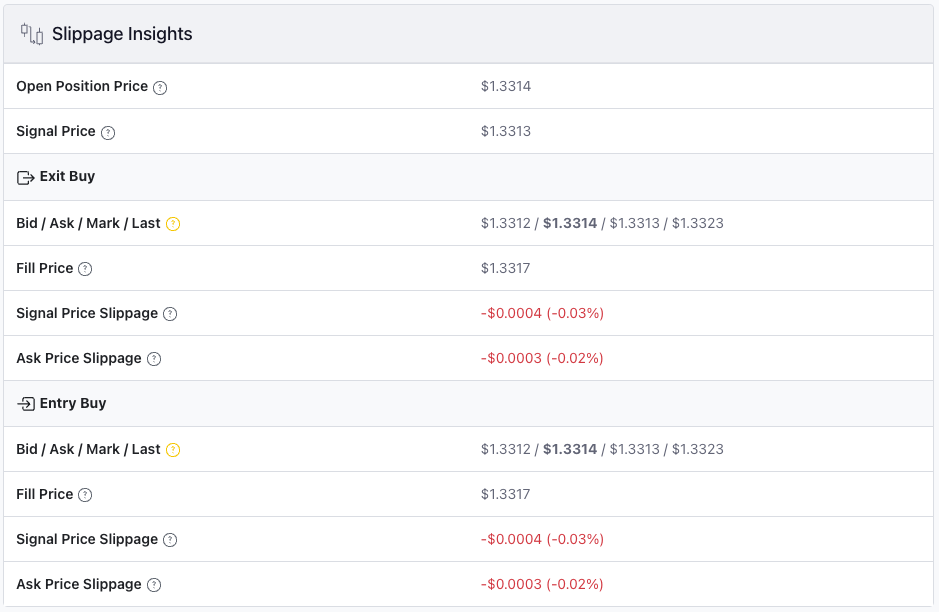
Slippage Insights
We’ve added a new section to the Subscription Trade screen, allowing you to easily compare the various prices involved in trade execution. This feature helps you see how much slippage occurred from the moment your trade was triggered to when it was executed and filled by the broker.
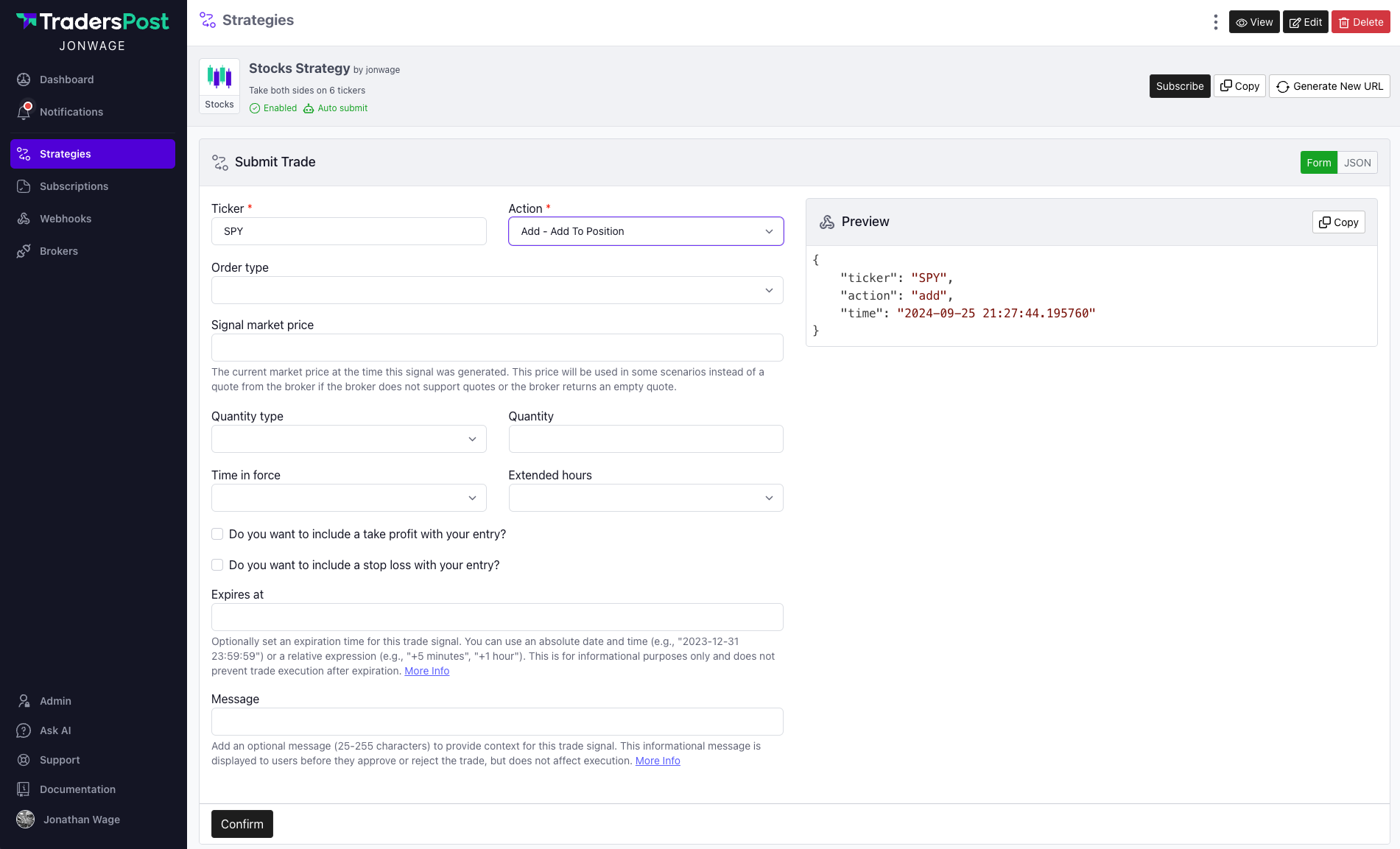
Auto Refresh Webhook JSON Preview
When manually submitting a trade via Strategies > Submit Trade, the webhook JSON preview updates in real-time as you modify the form. This feature is designed to help you better understand the JSON structure for various scenarios supported by TradersPost. Additionally, the preview remains fixed at the top of the screen as you scroll through the form, ensuring it is always accessible.
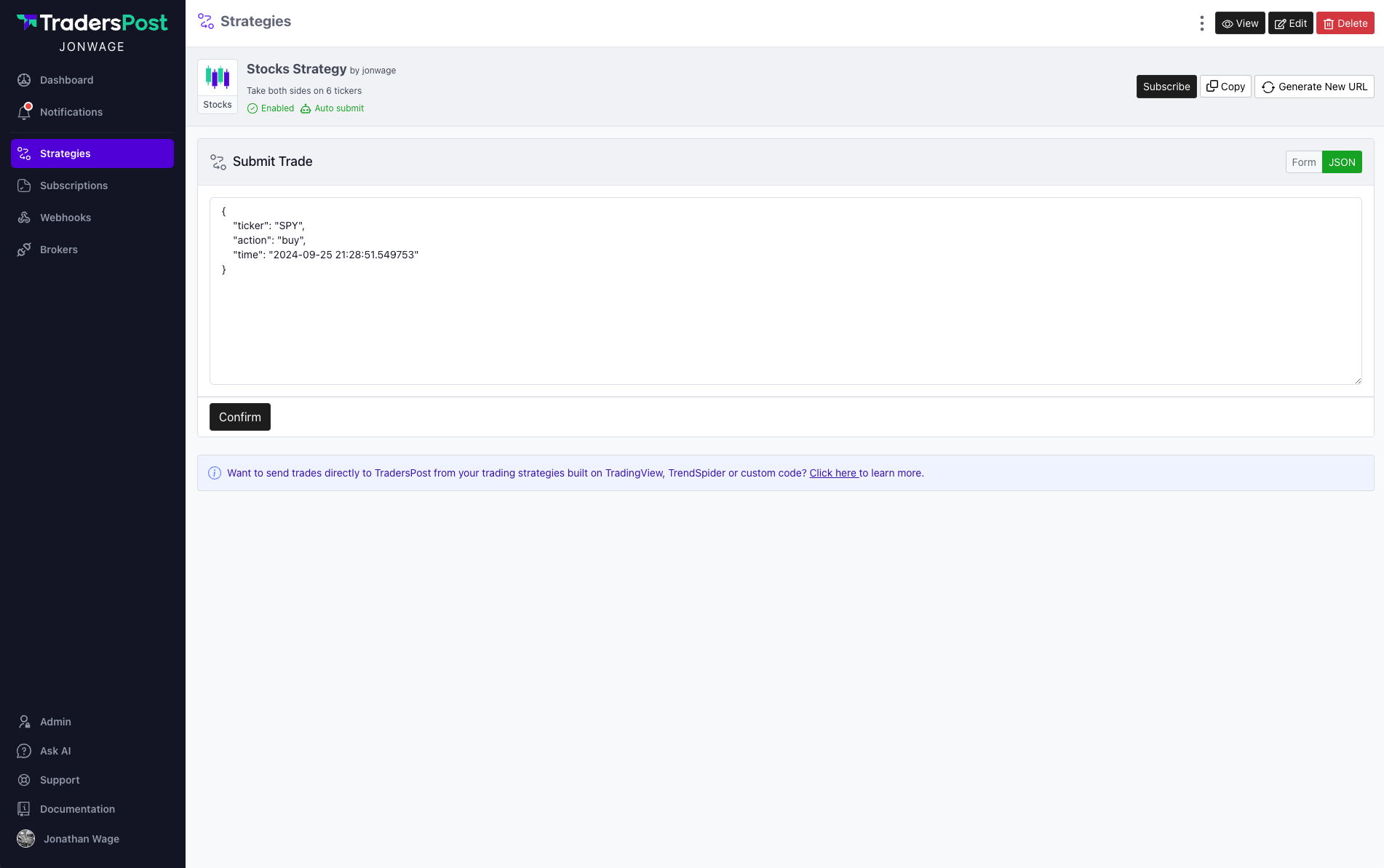
We’ve also added the ability to manually submit a trade using raw JSON, bypassing the form entirely. This feature is especially useful for validating the accuracy of your JSON payload.
Trade Expiration and Message
The webhook JSON now includes two optional fields: message and expiresAt. These fields are displayed to users on the subscription trade page. While the expiresAt field doesn’t prevent users from submitting trades, it allows strategy owners to indicate the trade's validity duration.
The expiresAt field supports relative times, such as +5 minutes or +1 hour, with the expiration date and time calculated dynamically from when the trade is received.
{
    "ticker": "TSLA",
    "action": "buy",
    "price": 420.69,
    "message": "TSLA IS A GOOD BUY AT THIS PRICE",
    "expiresAt": "+5 minutes"
}
Copy to Clipboard Improvements
We've enhanced the Copy to Clipboard button and integrated it throughout the application. This feature is now available wherever there is JSON or other information, allowing you to easily copy debug data to your clipboard with a single click.