TrendSpider can send alerts as webhooks just like TradingView can. You can read more about TrendSpider webhooks here.
TrendSpider Trading Bots
TrendSpider recently released a new trading bots functionality. You can read more here or watch the below video to learn more.
TrendSpider Trading Bots
TrendSpider Trading bots do not support variables for the ticker so you have to manually specify the ticker to trade in the JSON.
{
    "ticker": "SPY",
    "action": "buy"
}
Configure Webhook URL
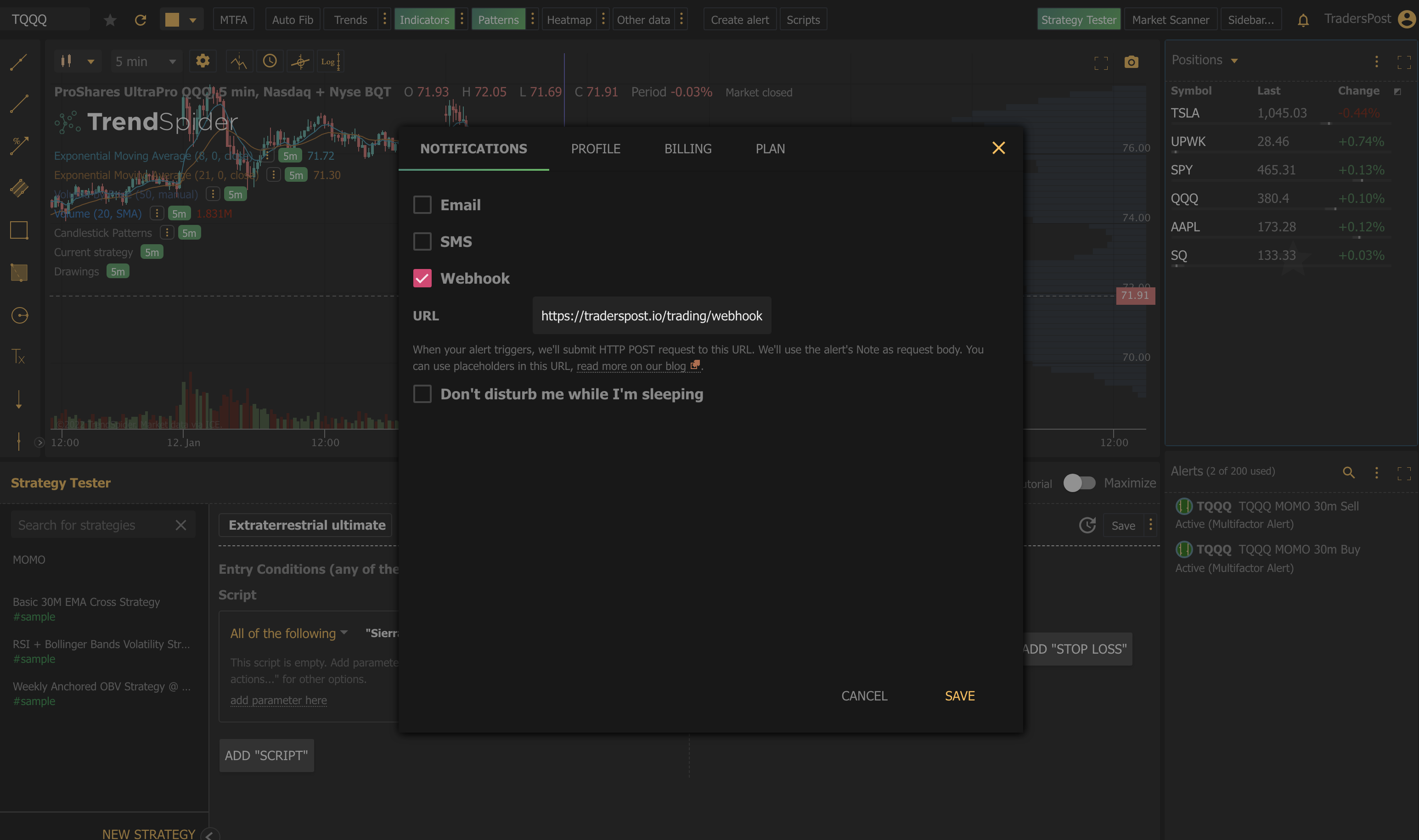
TrendSpider only allows one webhook URL to be configured. You can set this URL by clicking your profile icon at the top right and then enter a Webhook URL.
Alert Variables
You have access to the following variables to use in TrendSpider alert webhooks.
- %alert_name% - returns the name of the alert.
- %alert_symbol% - returns the symbol.
- %alert_note% - returns the notes for the alert.
- %price_action_event% - returns one of: touch, break_through, bounce, script_returned_true.
- %last_price% - returns the price of an asset for the moment when the alert has fired.
Now when you setup an alert in TrendSpider, you can configure the alert in TrendSpider with a TradersPost webhook URL and send it JSON like the following.
{
    "ticker": "%alert_symbol%",
    "action": "buy",
    "price": "%last_price%"
}
You can include additional information in the webhook payload if you want, it won't affect the signal and it will just be stored and displayed in TradersPost. This can be useful for troubleshooting where a webhook came from.
{
    "ticker": "%alert_symbol%",
    "action": "buy",
    "price": "%last_price%",
    "alertName": "%alert_name%",
    "alertNote": "%alert_note%",
    "priceActionEvent": "%price_action_event%"
}
Creating Alerts
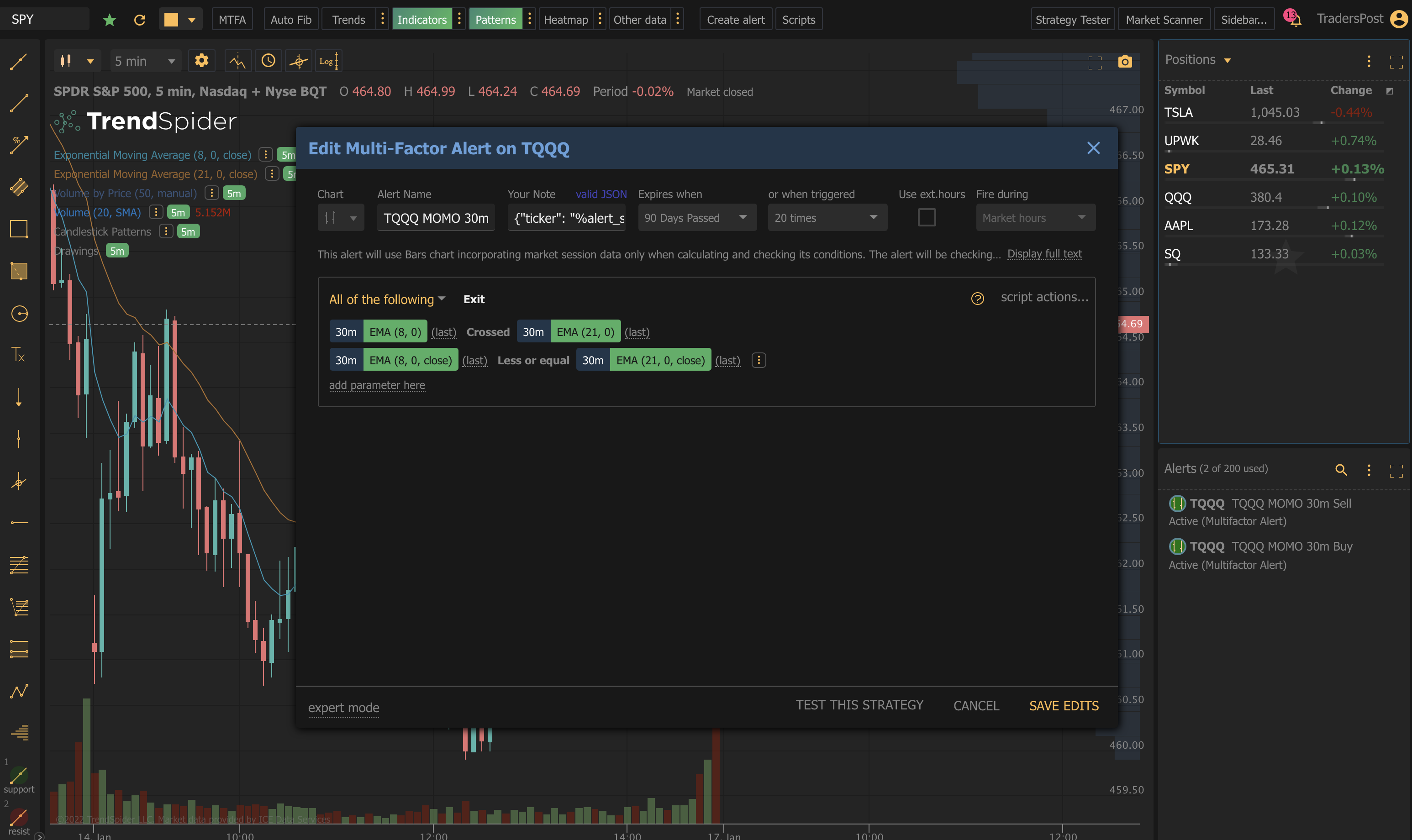
Now when you create a Multi-Factor alert, you can configure the note field to contain a body like this.
{"ticker": "%alert_symbol%", "action": "buy", "price": "%last_price%"}
Here is a screenshot of editing a Multi-Factor alert.
If you are interested automating your TrendSpider strategies, give TradersPost a try and Register your free account today! If you have any questions, join our Community or email us at [email protected].